This is the BASIC LEVEL web page for BMS Robotics.
"Click here to go to the INTERMEDIATE LEVEL ROBOTICS web page"
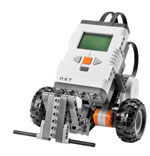
The three activities below are designed to help you learn the names of the 431 pieces in the NXT kit and to organize and set up your kit.
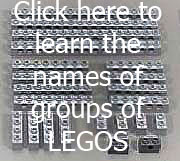

.
The next four links introduce the NXT brick, Sensors and the Editor.
The "Introduction" introduces the NXT Brick, Sensors and Motors.
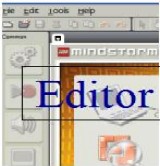
The "Editor" provides a throrough introduction to the NXT screen editor used to write programs. There is a lot to learn from this almost 18 minute video. It may take a while to load, so please be patient. (You may want to pause it at times or watch it more than once to grasp all the items)
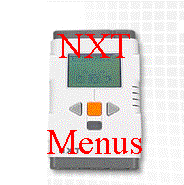
The "NXT Menus" link takes you to a screen with nine links to videos on how to use the buttons on the NXT brick. (The display menus along the top and side of this screen are not for NXT Menus. They are disabled).
The "Project Planning" link below provides an overview of how your team can organize in an efficient way to solve problems.

!!! Learn to Build and Program NXT Robots !!!
Click on the next six links below, use the menu bars to play the videos and slides to see step-by-step instructions outlining the BASIC LEVEL of NXT Robot building AND programming. These links to the Robotics Academy at Carnegie Mellon University are a good way to learn how to build and program a robot. After you get to the linked sites, click the "Next" button on the top right end of the menu bar to move through each of the lessons. The "Lesson Helpers" button (top right corner of some pages) provides more information and downloadable Power Point presentations that introduce the topics covered. These activities use the "Taskbot" robot and motor blocks in the program.
!!! Learn a Lot and ... Have Fun !!!
THE CLUB WILL MEET TUESDAY'S FROM 3:00 to 4:00 in the TECH ROOM
Meetings will begin Tuesday, November 17 and run through to late March, 2010.
Club Description as it appears on the list of After School Activities.
ROBOTICS: The BMS Robotics Club extends students' interests in building structures with LEGOS to programming "robots" using the Lego MindStorms for Schools team challenge kits and the new NXT software program. Club members design and program robots to perform skill testing challenges that require patience and perseverance but can be very rewarding. The club meets after school on Tuesday's starting November 17th to prepare for the annual Inter School Design Challenge, which is will be held (location TBA) on a Saturday in late March. The Club gets to showcase it robots at this event in a series of challenges. Approximately 25 teams from Middle Schools in Somerset, Hunterdon and Mercer County participate in this event. The day usually includes demonstrations by robotics teams from area High Schools.
Students interested in joining are asked to see Mr.Oosterveld in the Tech Room (226) to learn more about this year's BMS Robotics Club.
The Parental Permission Form TBA.
******************************************************************
"Last Year's INTERSCHOOL CHALLENGE FILE" ( Should be similar this year, Click and wait ... patiently ... for it to load)


