______________________________________________________________________________________________________________
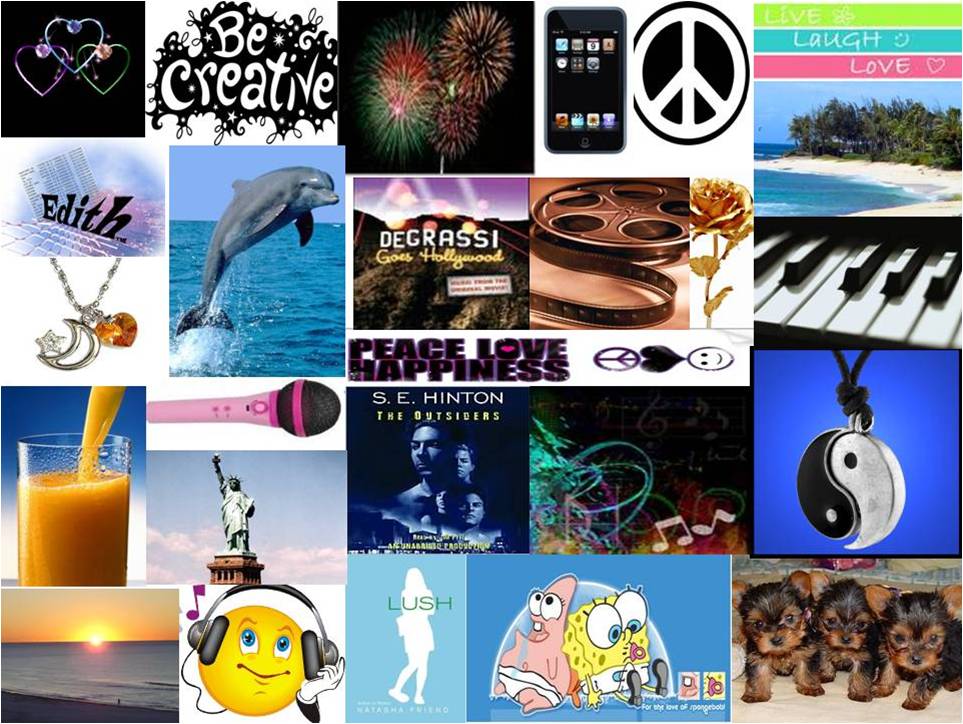
Steps to Create an All about Me Collage Picture in PowerPoint
*Start Microsoft PowerPoint
*Choose a
blank slide once the program is started.
*
*Copy, paste, and align these pictures onto a slide in
PowerPoint until you have created a square image on the PowerPoint
slide.
*Save this one slide as a jpeg file by clicking File Save as
and then
*Select the
jpeg file format (type) before
clicking on the save button
*A prompt will appear, select save current slide.
*Go to this storage area to locate and learn how to use this
image in other programs. *Insert
this image into a Word Document and then write your inspiration
message about yourself with the collage design in mind
*Prepare to add this image and the typewritten message to
your
All About Me Webpage in a later lesson.
Enrichment Activity Use sound
recorder to create an audio message of your written details about
yourself! Listen to Sample Collage Podcast from a Student
If you finish completing your collage and essay response, create a podcast and record an audio version of your essay. You may use Audacity or Sound recorder to create your podcast. If you use Audacity, remember to add music in the background, and lower the volume of the music making it possible to hear your spoken voice clearly in this podcast.
One of my favorite hobbies I love to
do is to sing and play the piano,
and I am usually always happy and
smiling. I am a very creative
person. My favorite show is Degrassi: The Next
Generation. I go to the movies often. One of my
favorite activity is just to watch the sunset.
Every summer I head to to the beaches and I hang
out at the beaches all day.
Many great friends hang out with me and and they
have all have served a great purpose in my life
and their personalities have helped shape who I
am today. Everyone needs friends and family and
I hope I will never be without them and I hope
my life
We only have one life to live and we must enjoy
it and the people around in it!
*Make sure you resize your images so that no white space is shown.
*Browse to the location where you want your file to be stored.
*The file got stored in the location you browsed to a few seconds
ago.
Import the recorded sound and image files into Movie Maker.
Then, you will have created a
mini-Podcast and a multimedia product.
Have Fun!!!
Sample Collage Podcast
As you prepare to listen to the collage message, be sure you can view the picture as you listen to podcast message.
(Right-Click the file link below to listen to a sample podcast.)
Untitled (18).wma