| A | B |
|---|
| void setup() { } | Arduino executes the statements you put between the setup function’s curly braces, but only once |
| void loop() { } | Arduino executes the statements you put between the loop function’s curly braces over and over repeatedly and indefinitely |
| Serial.begin(9600); | This line of code tells the Arduino to get ready to exchange messages with the Serial Monitor at a data rate of 9600 bits per second |
| Serial.print("Hello!"); | This line of code tells the Arduino to pass the message “Hello!” to the Serial Monitor. |
| function | container for statements (lines of code) that tell the Arduino to do certain jobs |
| delay(1000); | passes the value 1000 to the delay function’s ms parameter and makes the sketch wait for 1000/1000 = 1 second before letting it move on to the next line of code. |
| Serial.println("Hello!"); | This line of code tells the Arduino to pass the message “Hello!” to the Serial Monitor and prints it on a new line. |
What value is the resistor in the picture below?, 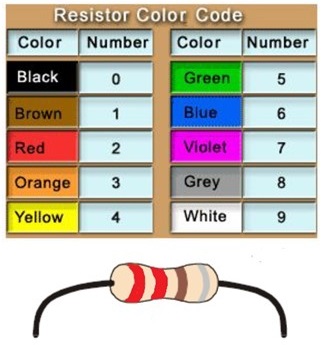 | 220 Ohms |
What value is the resistor in the picture below?, 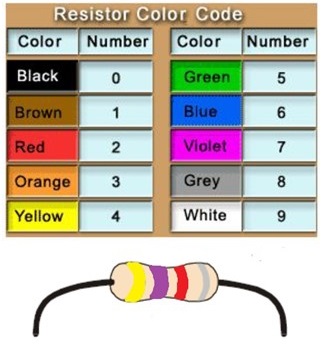 | 4,700 Ohms |
What value is the resistor in the picture below?, 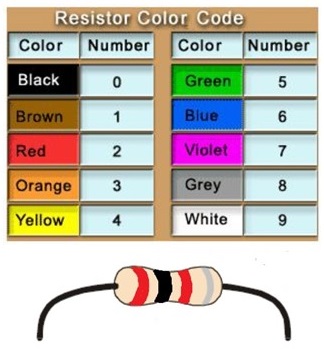 | 2,000 Ohms |
What value is the resistor in the picture below?, 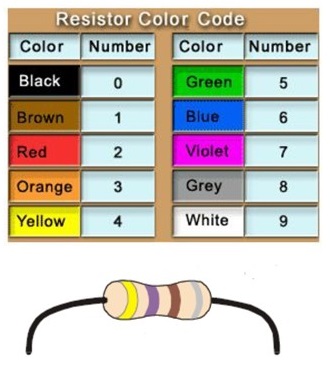 | 470 Ohms |
What value is the resistor in the picture below?, 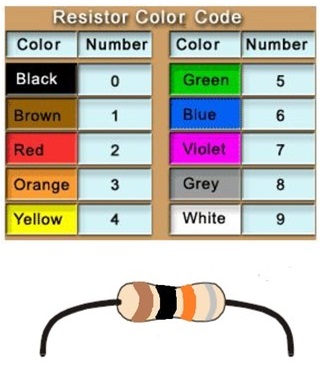 | 10,000 Ohms |
What is the name of the component in the picture below?, 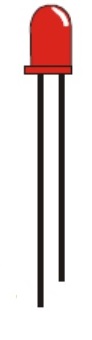 | Light-Emitting Diode or LED |
| Which lead is positive (+) and which lead is negative (-) in the picture below?, | 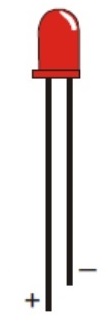 |
What is the name of the object in the picture below?, 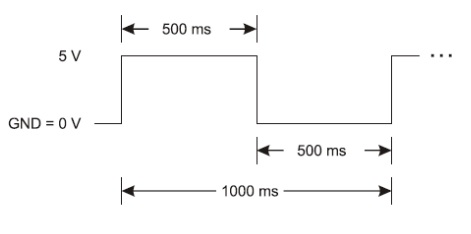 | Timing Diagram |
What is the name of the object in the picture below?, 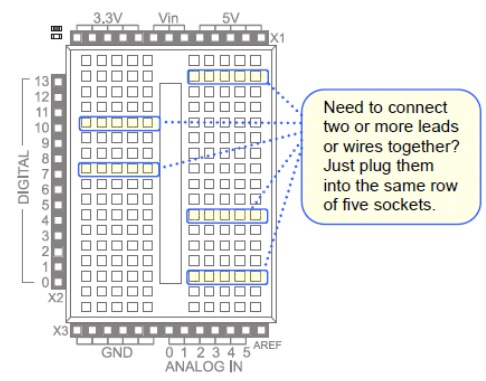 | breadboard |
| pinMode(13, OUTPUT); | Sets digital pin 13 to an output |
| digitalWrite(13, HIGH); | Sends 5 volt signal to pin 13 |
| digitalWrite(12, LOW); | Sends 0 volt signal to pin 12 |
| digitalWrite(13, LOW); | Sends 0 volt signal to pin 13 |



